Military symbols (APP-6 / MIL-STD-2525)
Set the optional sidc field on a marker and maproll renders the NATO Joint Military Symbology glyph for that code — the affiliation-framed unit / equipment / installation icon that defense desks, OSINT researchers, conflict journalists, wargamers and think-tanks already work with — instead of one of the 30 generic icons.
Powered by milsymbol. Supports APP-6 B/D/E and MIL-STD-2525 C/D/E + FM 1-02.2.
Quick example
curl -sS -X POST 'https://api.maproll.io/render/map' \
  -H 'content-type: application/json' \
  --data-binary @- <<'JSON' > /tmp/app6.svg
{
  "scope": "world", "theme": "dark", "width": 1400,
  "markers": [
    { "lat": 48.5, "lon": 38.0, "sidc": "30031000001211000000", "label": "Friendly Mech Inf" },
    { "lat": 49.8, "lon": 36.0, "sidc": "30061000001211000000", "label": "Hostile Mech Inf" }
  ]
}
JSON
Or via GET URL — the SIDC goes in the icon slot (type-distinguished from named icons by being exactly 20 or 30 digits):
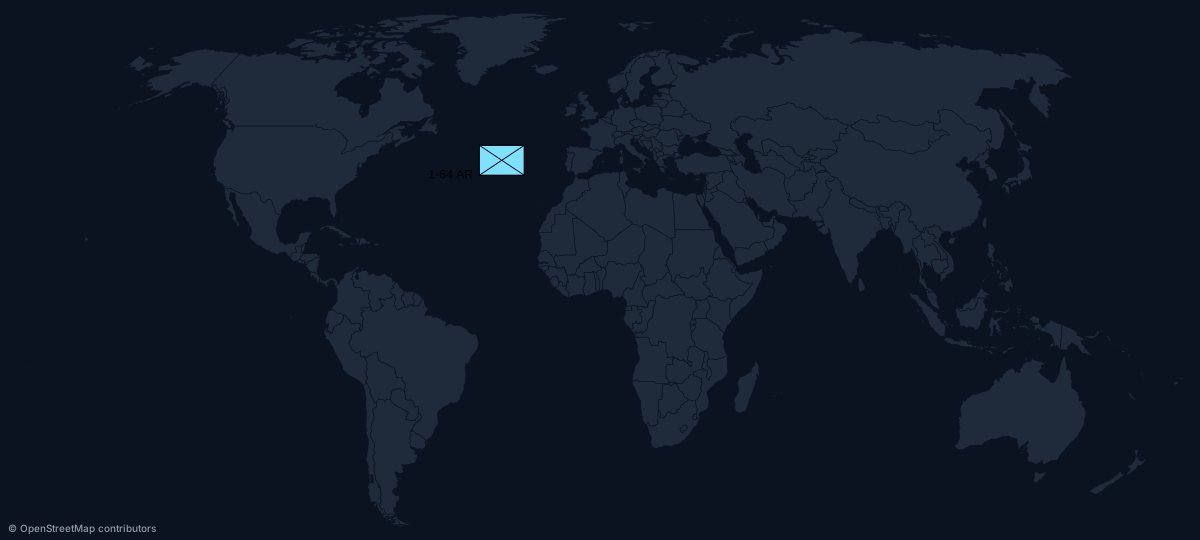
https://api.maproll.io/map.svg?scope=world&theme=dark&markers=40,-30:30031000001211000000:1-64+AR
When to use this vs icon
| If you have… | Use |
|---|---|
| A formal SIDC (your data already uses APP-6 / 2525) | sidc |
| A generic point of interest (airport, factory, fire) | icon |
| A polygon (area of interest, exclusion zone) | shapes |
| A route or flow line | routes |
icon and sidc are mutually exclusive on a single marker. Pick one.
SIDC format
A Symbol Identification Code is a digit string of length 20 (APP-6E / 2525D core) or 30 (APP-6E / 2525E full). The leading digits encode:
- Standard identity (friend / hostile / neutral / unknown / suspect / assumed friend)
- Symbol set (units / equipment / installations / activities / SIGINT / cyberspace / …)
- Status (present / anticipated / damaged / destroyed / full to capacity)
- Headquarters / task force / dummy
- Echelon / amplifier (platoon / company / battalion / brigade / …)
- Main icon + modifiers (the specific unit / equipment / activity)
maproll does not validate semantic correctness — it checks the length and lets milsymbol render. A syntactically-correct but semantically-broken SIDC lands in X-Geo-Warnings: invalid-markers:<idx>:sidc and the render still returns 200.
If you don't have a SIDC builder, the milsymbol library and the APP-6E specification document the digit-position semantics.
Marker fields when using sidc
| Field | Effect |
|---|---|
lat, lon | Position on the map. Same as icon markers. |
sidc | Required (instead of icon). 20 or 30 digits. |
size | Default 30 px (vs 17 for icon markers). 1–200. |
rotation | Maps to milsymbol's direction option (-360..360). A rotation of 0 is passed through as no direction at all. |
label | With no labelPosition, rendered as the milsymbol uniqueDesignation amplifier — top-right field of the frame on unit symbols. Max 64 chars. |
color | Ignored when sidc is set. Affiliation drives colour per APP-6 / 2525. |
labelPosition | Opts the label out of the amplifier and into a plain caption beside the symbol (top, bottom, left, right), suppressing uniqueDesignation so the text isn't drawn twice. Omit it to keep the amplifier. |
Limits and behaviour
- Up to 1000 markers per request. SIDC and icon markers share the budget.
- Length-only schema check. On
POST, a SIDC that isn't exactly 20 or 30 digits →400 invalid_sidc;iconandsidcon the same marker →400 marker can have either icon or sidc, not both. On the URL path a wrong-length digit string is not an error — it falls through to the icon slot's unknown-name handling, rendering a ⚠ placeholder withX-Geo-Warnings: invalid-markers:<idx>:unknown-icon:<value>and a 200. - Runtime SIDC failure (semantic) → marker skipped +
X-Geo-Warnings: invalid-markers:<idx>:sidc+ render returns 200. - Marker outside the projection's visible domain → silently skipped (same as icon markers).
- Cache:
sidcis part of the per-marker hash, so changing it produces a new ETag. SIDC and icon variants at the same coord cache to different entries.
Related
- Markers (icon library) — the 30-icon path
- Custom shapes — polygons / polylines / styled points
- Routes — flows between two endpoints
POST /render/map— full JSON body schema